
Scan Smarter. Choose Supplements With More Confidence.
Snap or upload a photo of any supplement label and get a clear, plain-English read on what it says — a grade, red flags, and clean-label signals — in minutes, before you buy.
- Free to start
- No account required
- Label-only scan
- Results in minutes
Supplements are checked against the NIH Dietary Supplement Label Database when a brand match is found — and every result lists its sources.SoulEnergy144 is independent and not affiliated with or endorsed by these organizations.
Three Steps. In Minutes.
No app to install, no account to create. Just your phone and the bottle in your hand.
Snap or upload
Take a clear photo of the supplement’s label. The Supplement Facts panel on the back gives the fullest result.
The scanner reads the label
A.I. reads what’s printed and checks the product against the NIH supplement label database when a match is found.
Get clear insights
A grade, the reasoning behind it, any red flags, and the sources used — in plain English.
What a Scan Looks Like
Every result shows its grade, its reasoning, and its sources.
Buffered Vitamin C, 1,000 mg
Grade B · 84/100Supplement Facts panel · Confidence: High
Why this verdict
- Buffered form listed (calcium ascorbate)
- 1,000 mg is within typical ranges and below the adult upper limit (2,000 mg/day)
- No additives of concern in the Other Ingredients list
Worth checking
- A third-party testing seal (USP, NSF)
- Calcium from this product plus the rest of your stack
- Other vitamin C sources already in your stack
Sources: listed on every result — an NIH label database match when one is found, plus A.I. label reading.
Same Vitamin. Very Different Formula.
Two bottles can both say “Vitamin C, 1,000 mg” — and still be very different products. Here’s what to look for — and what the scanner checks when it’s printed on the label.
The form
Buffered forms like calcium, magnesium, and potassium ascorbate bind vitamin C to a mineral — often gentler on the stomach than plain ascorbic acid. Results show the form listed.
Absorption helpers
Some formulas add black pepper extract (piperine), which research shows can increase absorption of certain nutrients. Worth knowing what you’re paying for.
The dose
Vitamin C supports immune function and collagen formation, and helps you absorb iron from plant foods. More isn’t always better — the scanner compares stated doses with typical ranges and upper limits.
The extras
When artificial dyes, titanium dioxide, certain sweeteners, or other additives of concern appear on the label you photograph, they’re flagged.
The Scanner Tells You What. The Guides Teach You Why.
Learn the framework once and read any label, on any shelf, for life.
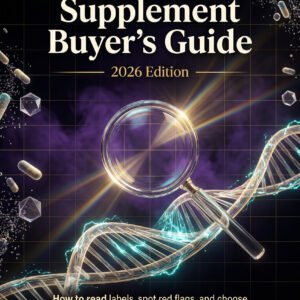
The Clean Supplement Buyer’s Guide 2026
40+ pages: read labels, spot the 12 red flags, and find clean, third-party tested picks by category.
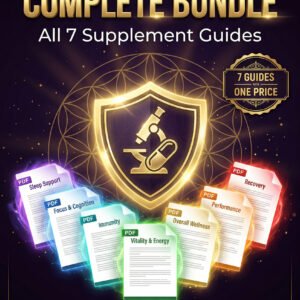
The SuppleScan Complete Bundle
All seven guides: sleep, focus, fitness, immune, clean buying, red flags, and complete stacking protocols.

The Clean Living Pair
Both label decoders together — food labels and supplement labels in one system.
Built From 20+ Years of Reading Labels the Hard Way
More than two decades of hands-on supplement and nutrition research went into one question: what actually separates a good formula from good marketing?
The answer is almost always in the details most people skip — the form of each ingredient, the real dose, what’s added to help absorption, and what’s added that shouldn’t be there. The scanner reads what’s printed on the label and explains it in plain English.
Beyond the Label
Clean inputs are step one. SoulEnergy144 also builds tools for energy, focus, and inner clarity.
Common Questions
Straight answers before you scan.
Is the scanner free?
Yes. You get 3 free scans a day.
Do I need an account?
No. There’s no account to create and no app to install — it works right in your phone’s browser. You’ll enter your email to unlock your results.
What can I scan?
Any dietary supplement label. The Supplement Facts panel (usually on the back) gives the most complete result. A front label alone gives a partial check unless the product is found in the NIH label database.
Can I scan barcodes or ingredient panels?
Barcodes, not yet. Ingredient panels, yes — a clear photo of the Supplement Facts panel gives the most complete result.
Can the scanner detect toxins?
It flags additives of concern — such as artificial dyes, titanium dioxide, and certain preservatives — when they’re printed on the label you photograph. A photo can’t detect contaminants that aren’t listed, like heavy metals. That’s why results also note independent testing seals (such as USP or NSF) when they’re visible — those programs verify what’s actually inside the bottle.
Does this replace medical advice?
No. Results are informational only and do not replace advice from a qualified healthcare professional. If you’re pregnant, nursing, taking medication, or managing a health condition, talk with your doctor or pharmacist before starting any supplement.
What if my label photo is blurry?
If the image is hard to read, the result shows a lower confidence level or asks for a clearer photo. Retake it in good light, hold the phone steady, and keep the full label in frame.
Scan results are informational and do not replace advice from a qualified healthcare professional. These statements have not been evaluated by the Food and Drug Administration. This product is not intended to diagnose, treat, cure, or prevent any disease.